
Sign in
Ideogram Character

One reference image. Endless consistent characters.

Upload a photo and generate your character in any pose, outfit, or scene. The face stays the same across every generation.

Create consistent AI characters and headshots with Ideogram.

With a single input photo, render infinite variations of your characters with striking visual fidelity. Use curated templates or write your own prompts to place your characters in vivid new worlds.

Try Ideogram Character

The most consistent AI character tool, in independent testing.

Independent creator tests put Ideogram Character against Midjourney, Leonardo, and Nano Banana across six rounds: base generation, pose changes, facial expressions, outfit swaps, environment changes, and a high-stress cinematic prompt.

Ideogram was the only model that kept the character's identity locked across every test. Same face, same features, same person. The others either drifted, produced AI-looking results, or failed under complex prompts.

AI headshot example for LinkedIn profile picture

Professional LinkedIn headshots

Realistic and polished portraits for online profiles, resumes, and websites.

AI-generated branded mascot for social media campaign

Branded mascots & spokescharacters

Remain instantly recognizable across social posts, ads, and packaging.

AI-created comic character for graphic novel scene

Game & storybook character design

Build with characters that stay visually consistent across scenes, styles, and story arcs.

Instantly faceswap your character into an image

Got the perfect background or scene? Drop in your character with Magic Fill and be the main character everywhere.

Try Face Swap
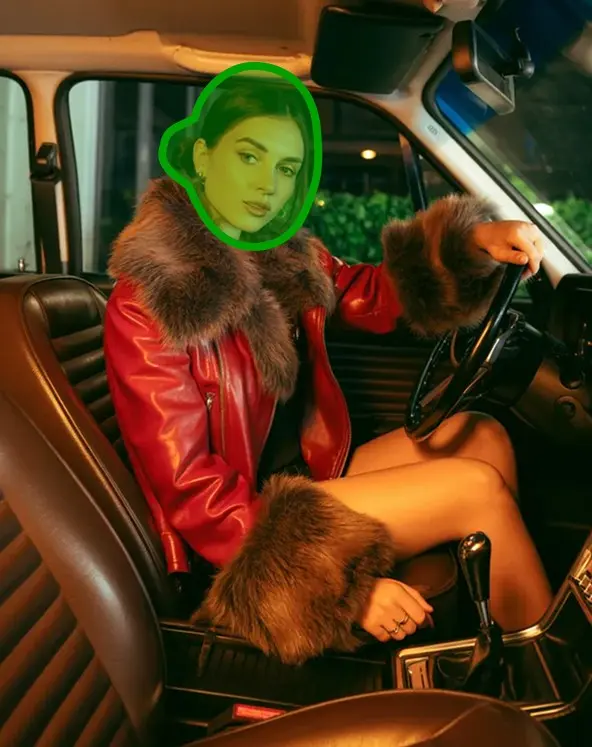
Reference photo of the character
Character reference
Source scene with the area to replace marked with Magic Fill
Scene with Magic Fill mask
Final image with the character swapped into the scene
Result

Create custom photos inspired by any image

With Remix, borrow the vibe and composition of any image and make it unique to your character.

Remix an image
Reference photo of the character
Character reference
Source image whose vibe and composition will be borrowed
Inspiration image
Final image with the character placed into the borrowed composition
Result

Define your character's signature look

Take full control over how your character appears by adjusting the character mask for hair, clothing, and accessories, ensuring a consistent identity across every creation.

Customize your character
Character mask adjustment for hair, clothing, and accessories

Build with the Character API

Generate consistent characters programmatically. Upload a reference image, send a prompt, and receive generations that maintain identity across every call. Integrate into your pipeline, app, or content workflow.

API reference
Python
import requests

# Generate with a character reference using Ideogram 3.0
with open("character_reference.png", "rb") as reference:
  response = requests.post(
    "https://ideogram.adawatools.com/__api__/v1/ideogram-v3/generate",
    headers={"Api-Key": API_KEY},
    data={
      "prompt": "A portrait in a coffee shop",
      "style_type": "REALISTIC",
    },
    files=[("character_reference_images", reference)],
  )
  response.raise_for_status()

Frequently asked
questions

What is character consistency in AI?
Character consistency means preserving a character's face, features, and identity across multiple images. In Ideogram, choose Ideogram 4.5 and attach reference images of the character, then describe a new pose, outfit, or scene. Reuse the same references to guide later generations.
How many photos do I need for a consistent AI character?
You can start with one clear reference photo. Ideogram 4.5 accepts one to five reference images; shots of the face from a few angles work best. Add them in the Image app's Reference images field, describe the new scene, and generate.
Why does AI keep changing my character's face?
A text prompt alone may not preserve the same face in every image. Use Ideogram 4.5 with clear reference images of the character, including the face from a few angles. Keep using the same references and mention the character's image tag, such as @img_1, when describing a new scene.
What is the difference between style reference and character reference?
A style reference borrows the look, palette, or composition of an image. A character reference borrows the identity of the person or character. Use a style reference when you want a vibe or art direction. Use a character reference when you need the same person to appear across multiple images.
Is Ideogram Character a Midjourney cref alternative?
Ideogram offers a reference-image workflow for the same character-consistency use case. In the Image app, choose Ideogram 4.5, attach one to five reference images, and describe the new scene using the character's image tag. See the character consistency guide for the current steps.
Is Ideogram Character free to use?
Generations with reference images always use credits. Eligible free accounts receive weekly credits; paid plans and separately purchased credits provide more capacity. Reference-image generations still require credits after a paid plan's monthly credits run out. Visit Plans & Pricing for current options.
How do I use Ideogram Character to create consistent characters?
In the Image app, choose Ideogram 4.5 and add one to five clear images of the character in Reference images. Describe the new scene and refer to the character by its tag, such as @img_1. Click "Generate" and reuse the same reference images whenever you want that character again. See the reference-image guide for details.
How do I make AI headshots with Ideogram?
In the Image app, choose Ideogram 4.5 and attach clear photos of the person in Reference images. Describe the headshot you want, such as @img_1 in a professional headshot with studio lighting and a neutral background. Reuse the same reference images when trying different outfits, backgrounds, or lighting.
What types of reference images work best for Ideogram Character?
Use clear photos that show the character's face from a few angles. Ideogram 4.5 accepts one to five reference images. Each file must be JPEG, PNG, or WebP and no larger than 25 MB. Reuse the same references across generations and describe what should change in the prompt.
Are there any templates for Ideogram Character?
The current character-consistency workflow uses reference images and a prompt. For a starting prompt, try @img_1 exploring a forest trail, soft afternoon light. Keep the same reference images and change the scene, outfit, or action in your prompt to create variations.
Can I use Ideogram Character for commercial projects?
Ideogram Character may be used for commercial purposes, provided they comply with our Terms of Service and do not violate third-party rights or applicable laws. Freelancers and businesses use our AI-generated visuals across a variety of use cases, including creative projects, freelance graphic design, marketing materials, social media campaigns, website visuals, and product packaging.
How do I fix errors in output images from Ideogram Character?
Keep the same reference images and describe only what should change in a short edit instruction. For text errors, put the exact words in quotation marks and generate again, or use AI edit in Studio to fix that part. To edit an image made in Ideogram, download it first and then upload it to Studio.
Is there an API for Ideogram Character?
Yes. The Ideogram 3.0 API supports generation with a character reference image. Upload the image as the character_reference_images file field in a multipart request to /v1/ideogram-v3/generate. This endpoint currently accepts one character reference image. See the Ideogram 3.0 API reference for parameters and pricing details.